What this tool does
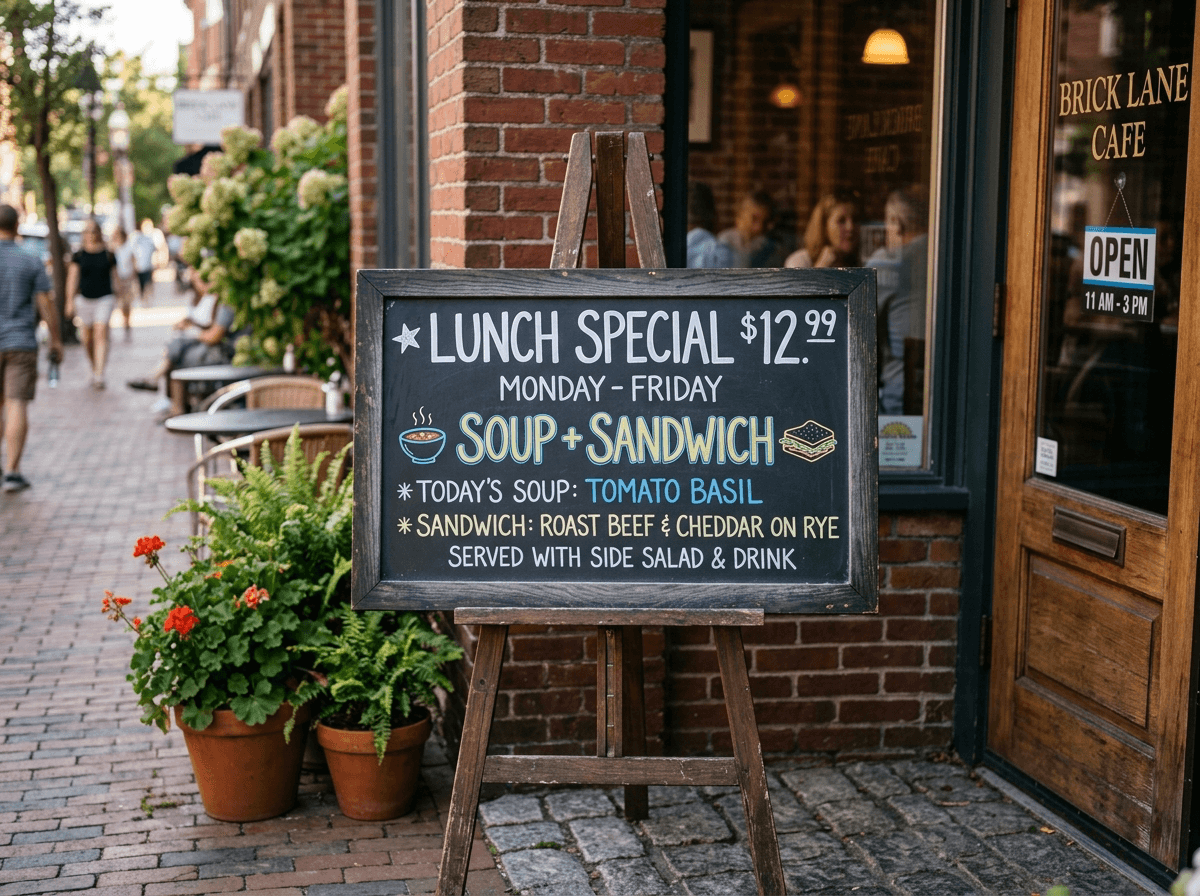
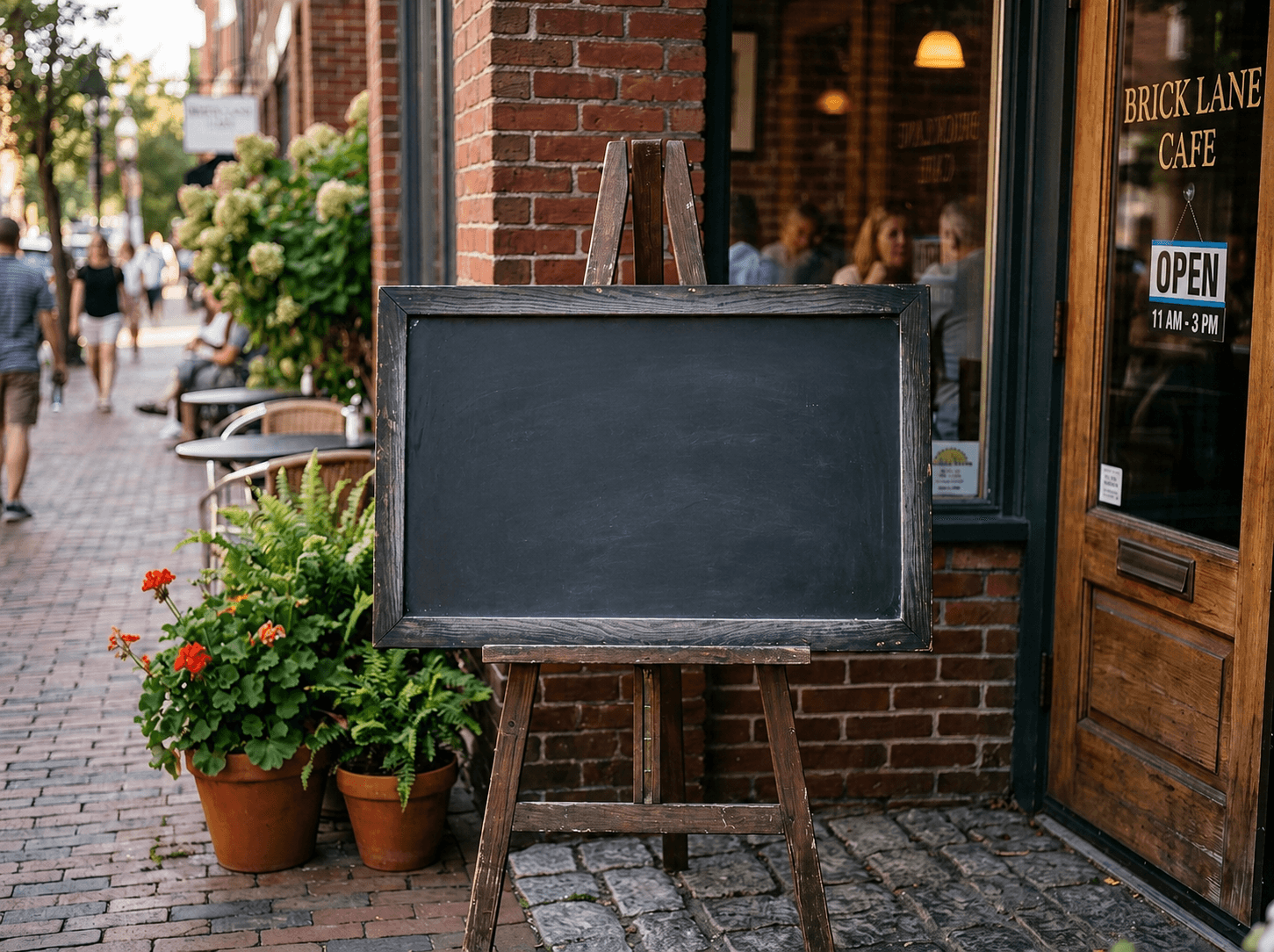
CleanerPix removes text from images you own or are authorized to edit. It can erase captions, date stamps, subtitles, labels, annotations, price text, poster copy, and other text overlays when those edits are legitimate. After you mark the text, the AI rebuilds the pixels underneath, whether the text sits on a plain wall, a gradient, packaging, fabric, a menu background, or a detailed photo surface. The rest of the image stays outside the edit mask.
- Authorized marketing photos where old captions, date stamps, labels, or promotional text need to be removed before reuse.
- Product photos and design drafts where text overlays need to be cleared before localization, retouching, or layout updates.
- Personal photos with camera date stamps, event labels, subtitles, or social captions that distract from the subject.
Quick answer
CleanerPix is an online AI text remover for erasing selected captions, date stamps, subtitles, labels, and unwanted writing from authorized images.
What this tool does
CleanerPix removes text from images you own or are authorized to edit. It can erase captions, date stamps, subtitles, labels, annotations, price text, poster copy, and other text overlays when those edits are legitimate. After you mark the text, the AI rebuilds the pixels underneath, whether the text sits on a plain wall, a gradient, packaging, fabric, a menu background, or a detailed photo surface. The rest of the image stays outside the edit mask.
Best use cases
- Authorized marketing photos where old captions, date stamps, labels, or promotional text need to be removed before reuse.
- Product photos and design drafts where text overlays need to be cleared before localization, retouching, or layout updates.
- Personal photos with camera date stamps, event labels, subtitles, or social captions that distract from the subject.
Best for and not ideal for
| Best for | Not ideal for |
|---|
| Removing date stamps, captions, subtitles, labels, annotations, and price text. | Text that is only partly selected or hidden behind complex foreground objects. |
| Cleaning owned product photos, marketing images, posters, menus, and personal photos. | Forging receipts, IDs, payment screenshots, contracts, chats, or other records. |
| Edits where every letter, shadow, outline, and transparent text edge can be brushed. | Rewriting long text passages; this page is for removal and cleanup, not OCR editing. |
How the AI text removal works
Text removal works by combining a precise brush mask with generative reconstruction. First, you mark the full text area, including strokes, shadows, outlines, and antialiasing. CleanerPix then analyzes the visual context around the text and predicts what should continue behind it. The model pays attention to background lines, surface texture, lighting, color gradients, and object edges, then replaces the marked text with new pixels that match the surrounding image. This avoids the smeared look common with simple blur tools.
CleanerPix compared with other options
- CleanerPix
- Best for removing selected text from images without Photoshop directly in the browser with a simple upload, brush, cleanup, and download workflow.
- Photoshop
- Best for professional manual retouching, layer work, and complex edits when you have editing experience and desktop software.
- Mobile retouch apps
- Best for quick phone edits, but often less predictable for precise masks, desktop review, and repeat cleanup workflows.
Limits and safety rules
Do not use this tool to forge or alter IDs, receipts, invoices, bank records, payment screenshots, legal documents, chat screenshots, certificates, contracts, or misleading evidence-like images. Do not remove text in a way that misrepresents ownership, payment, identity, consent, or factual records. Only remove text from images you own or have permission to edit.
 CleanerPix