What this tool does
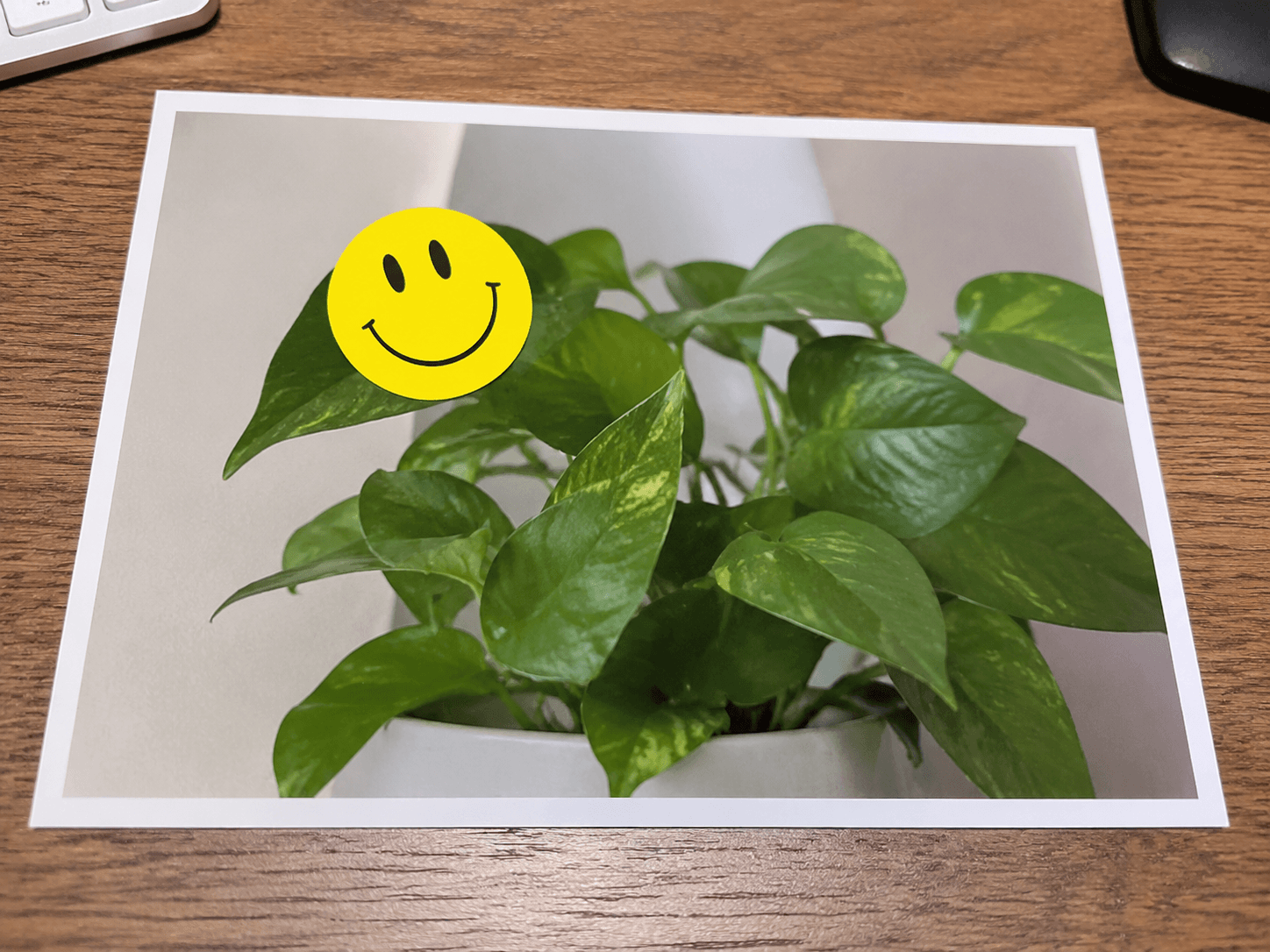
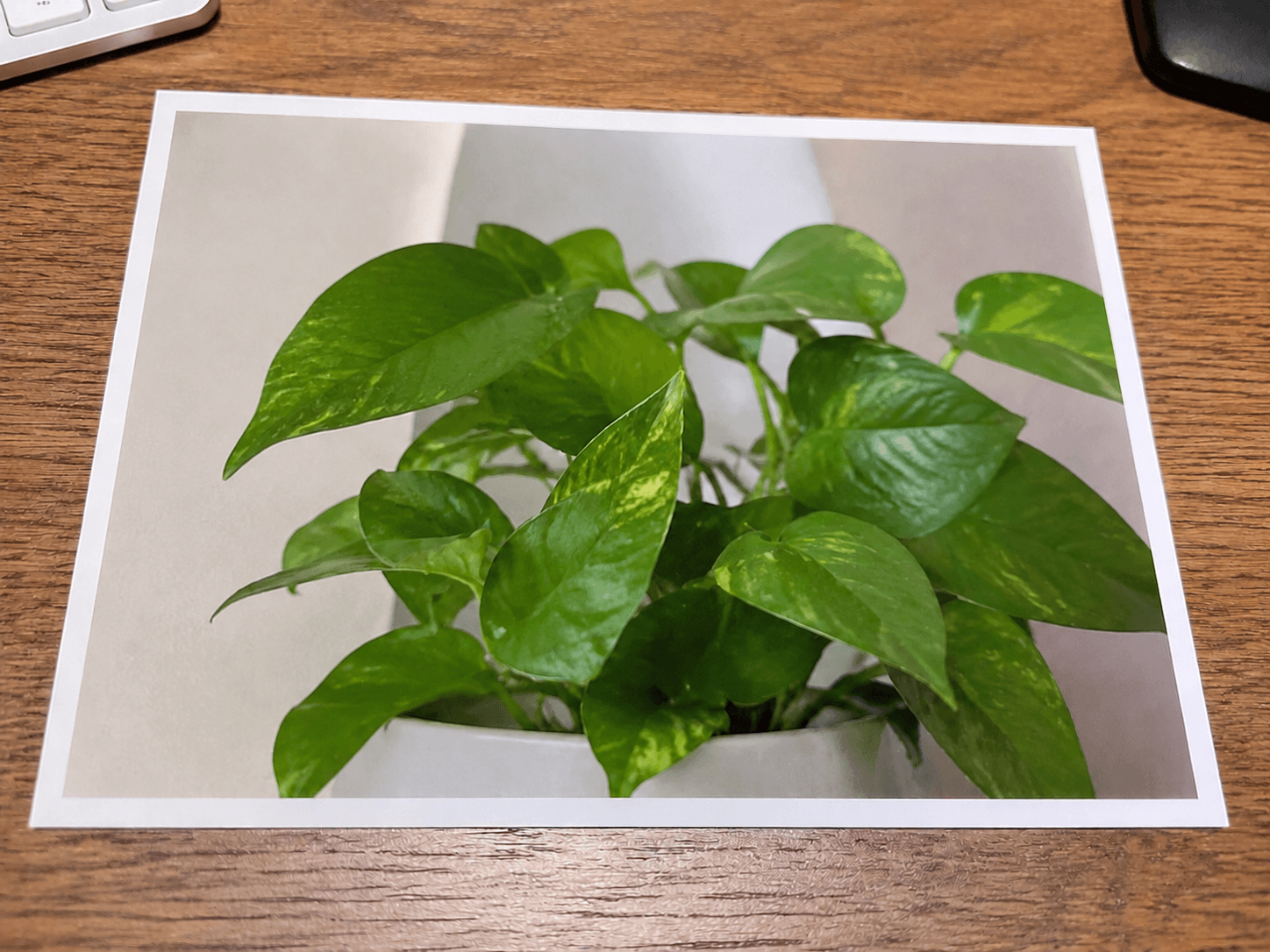
CleanerPix removes stickers from images you own or are authorized to edit. It can clear emoji overlays, social media stickers, decorative graphics, reaction icons, labels, stamps, and other pasted visual elements. Once you brush over the overlay, the AI reconstructs what should appear behind it, such as skin, clothing, sky, walls, product surfaces, menus, screenshots, or background texture. It is intended for legitimate cleanup, restoration, and reuse of authorized images.
- Personal photos where emoji, reaction stickers, event stickers, or decorative overlays distract from the original image.
- Marketing and product images where temporary labels, sale badges, or old social graphics need to be cleared before reuse.
- Design drafts where a sticker or overlay must be removed so the clean background can be localized, cropped, or republished.
Quick answer
CleanerPix is an online AI sticker remover for clearing selected emoji, social stickers, labels, overlays, and decorative graphics from authorized images.
What this tool does
CleanerPix removes stickers from images you own or are authorized to edit. It can clear emoji overlays, social media stickers, decorative graphics, reaction icons, labels, stamps, and other pasted visual elements. Once you brush over the overlay, the AI reconstructs what should appear behind it, such as skin, clothing, sky, walls, product surfaces, menus, screenshots, or background texture. It is intended for legitimate cleanup, restoration, and reuse of authorized images.
Best use cases
- Personal photos where emoji, reaction stickers, event stickers, or decorative overlays distract from the original image.
- Marketing and product images where temporary labels, sale badges, or old social graphics need to be cleared before reuse.
- Design drafts where a sticker or overlay must be removed so the clean background can be localized, cropped, or republished.
Best for and not ideal for
| Best for | Not ideal for |
|---|
| Removing emoji, social stickers, badges, labels, reaction graphics, and overlays. | Private chats, payment screenshots, platform records, or other evidence-like images. |
| Cleaning personal photos, marketing images, product visuals, screenshots, and design drafts. | Stickers that cover important faces or objects with no visible background context. |
| Sticker footprints where shadows, outlines, transparency, and borders can be brushed. | Removing overlays to misrepresent consent, ownership, identity, or factual records. |
How the AI sticker remover works
Sticker removal uses your brush mask to define the pasted graphic that should disappear. CleanerPix then studies the visible image around the sticker and predicts the missing pixels behind it. The model follows background texture, object edges, color gradients, skin tones, fabric folds, surface reflections, and lighting. Because stickers often have borders, shadows, or transparency, the best results come from covering the entire sticker footprint rather than only its solid center.
CleanerPix compared with other options
- CleanerPix
- Best for removing stickers and emoji overlays from images with a brush mask directly in the browser with a simple upload, brush, cleanup, and download workflow.
- Photoshop
- Best for professional manual retouching, layer work, and complex edits when you have editing experience and desktop software.
- Mobile retouch apps
- Best for quick phone edits, but often less predictable for precise masks, desktop review, and repeat cleanup workflows.
Limits and safety rules
Do not use this tool to forge or alter IDs, receipts, invoices, bank records, payment screenshots, legal documents, chat screenshots, platform records, or misleading evidence-like images. Do not remove stickers or overlays to misrepresent consent, ownership, identity, payments, or factual records. Only edit images you own or have permission to modify.
 CleanerPix