What this tool does
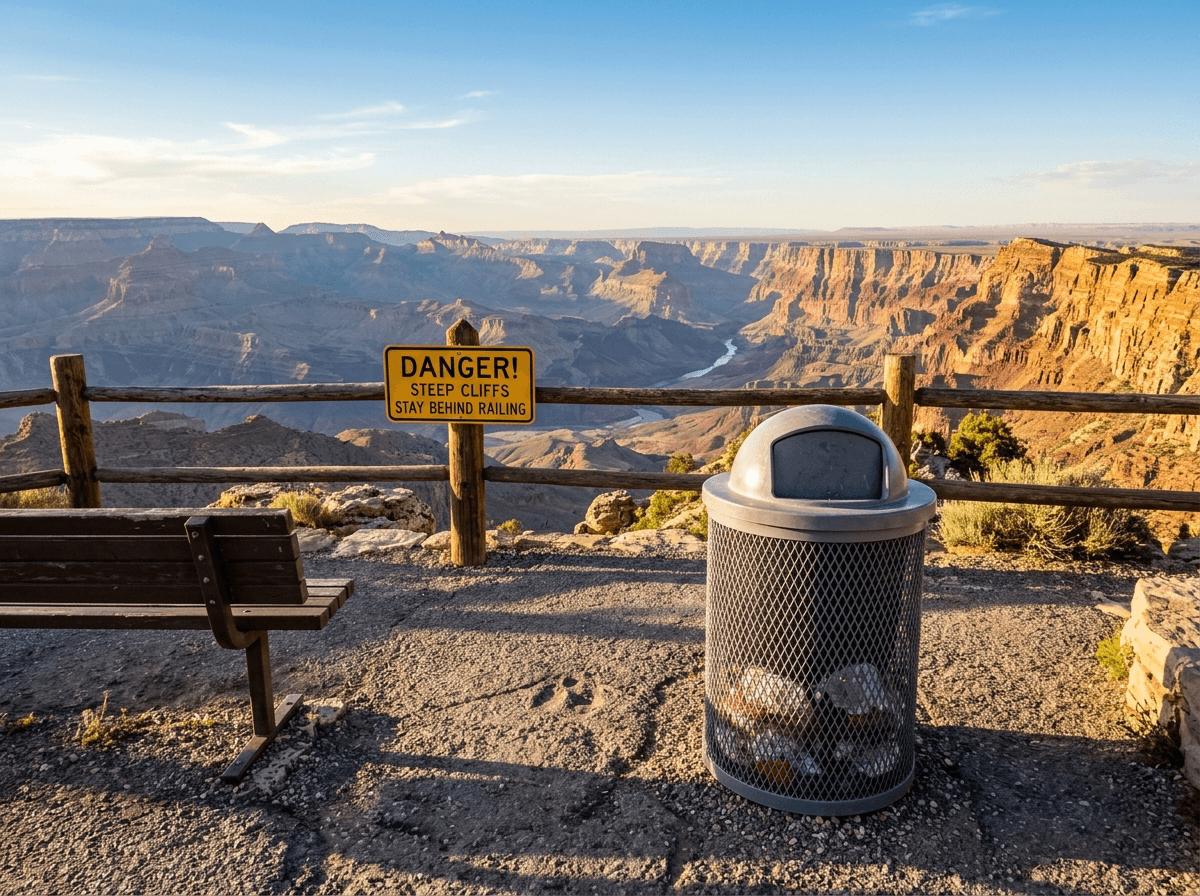
CleanerPix is an AI object remover for photos you own or have permission to edit. It removes unwanted objects such as trash cans, signs, power lines, cables, road cones, furniture, background clutter, small props, and distracting items. After you brush over the object, the AI replaces it with new pixels that match the surrounding background. The goal is to keep the photo believable and focused while leaving unmarked people, products, buildings, and scenery unchanged.
- Travel photos with trash cans, signs, fences, cables, benches, parked vehicles, or temporary barriers in the background.
- Real estate, rental, and interior photos with clutter, cords, small furniture, wall marks, or distracting objects.
- Product and lifestyle photos where props, dust, packaging pieces, labels, or background items distract from the subject.
Quick answer
CleanerPix is an online AI object remover for deleting selected unwanted objects, clutter, props, cables, signs, and background distractions from photos.
What this tool does
CleanerPix is an AI object remover for photos you own or have permission to edit. It removes unwanted objects such as trash cans, signs, power lines, cables, road cones, furniture, background clutter, small props, and distracting items. After you brush over the object, the AI replaces it with new pixels that match the surrounding background. The goal is to keep the photo believable and focused while leaving unmarked people, products, buildings, and scenery unchanged.
Best use cases
- Travel photos with trash cans, signs, fences, cables, benches, parked vehicles, or temporary barriers in the background.
- Real estate, rental, and interior photos with clutter, cords, small furniture, wall marks, or distracting objects.
- Product and lifestyle photos where props, dust, packaging pieces, labels, or background items distract from the subject.
Best for and not ideal for
| Best for | Not ideal for |
|---|
| Removing trash cans, power lines, signs, cables, props, and background clutter. | Very large objects that hide important parts of faces, hands, products, or architecture. |
| Cleaning travel, product, real estate, interior, and lifestyle photos. | Misleading edits that hide material facts, required disclosures, or evidence. |
| Objects with enough surrounding wall, sky, floor, grass, water, or texture context. | Scenes where the replacement background cannot be inferred from nearby pixels. |
How the AI object remover works
Object removal uses the painted mask as an edit instruction. CleanerPix treats masked pixels as the area to replace and unmasked pixels as visual context. The model studies the object boundary, background perspective, light direction, surface texture, depth cues, and repeating patterns. It then generates replacement pixels that continue the background through the removed area. For complex scenes, masking the object plus its shadow or reflection usually produces a cleaner result than masking only the center of the object.
CleanerPix compared with other options
- CleanerPix
- Best for removing unwanted objects from photos with a precise brush selection directly in the browser with a simple upload, brush, cleanup, and download workflow.
- Photoshop
- Best for professional manual retouching, layer work, and complex edits when you have editing experience and desktop software.
- Mobile retouch apps
- Best for quick phone edits, but often less predictable for precise masks, desktop review, and repeat cleanup workflows.
Limits and safety rules
Do not use this tool to remove or add information in IDs, receipts, invoices, bank records, payment screenshots, legal documents, chat screenshots, or other evidence-like images. Do not use object removal to mislead others, falsify records, erase required disclosures, or hide material facts. Only edit images you own or have permission to modify.
 CleanerPix